Connect ClickUp to Leapsome Workflows and create ClickUp tasks automatically during onboarding, offboarding and other HR processes.

Add a step to any Leapsome workflow and the right ClickUp task is created for IT, Finance or Facilities. No manual follow-ups.

Add a 'Create ticket elsewhere' step to a Leapsome workflow, choose ClickUp and the destination project, then set the task title and description. When the workflow runs, for example when a new hire is onboarded, Leapsome creates the task automatically, like an IT request for a new laptop.
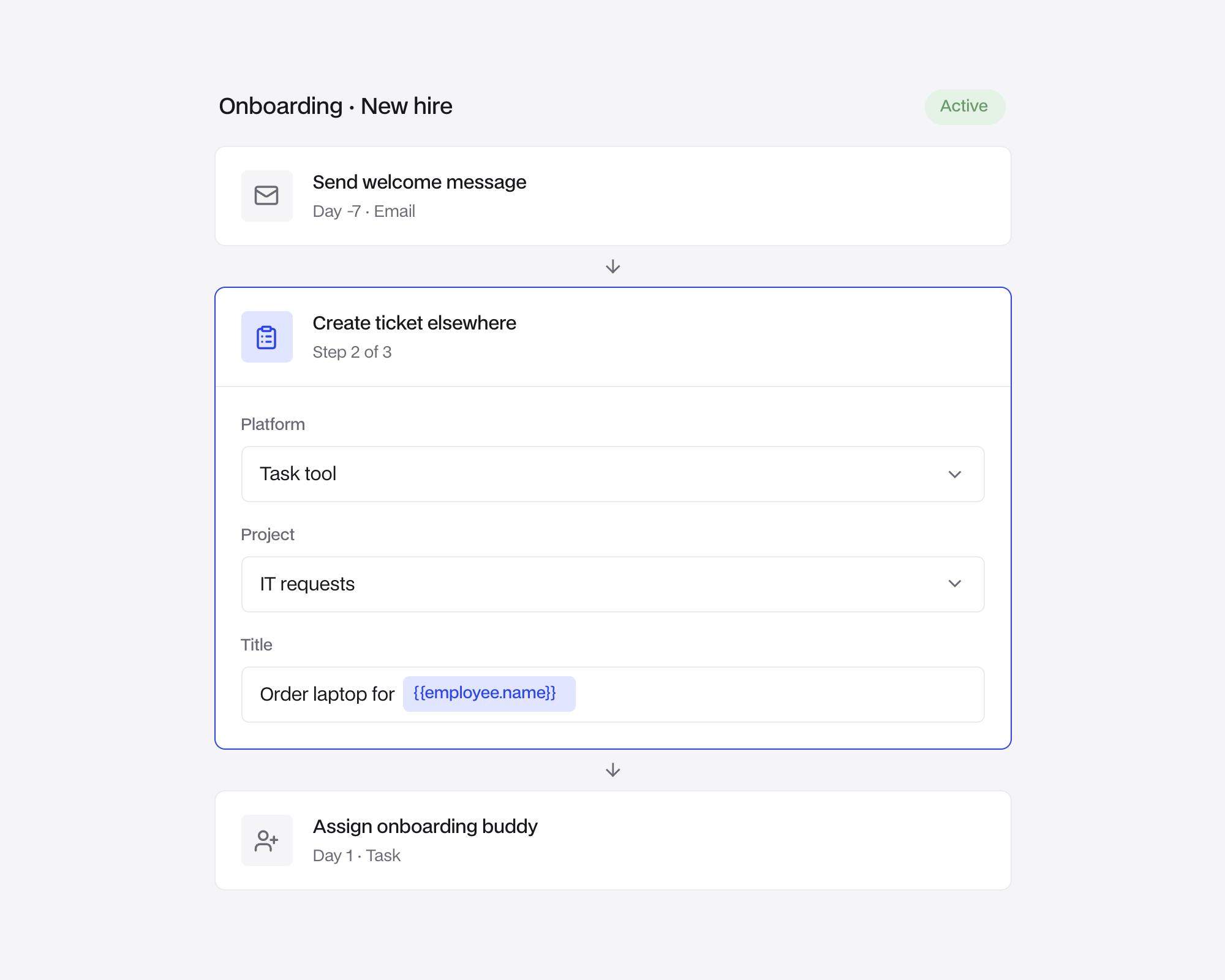
HR runs the process in Leapsome while IT, Finance and Facilities keep working in ClickUp. Offboarding works the same way: an access removal task is created the moment the employee's offboarding starts.

ClickUp is an all-in-one productivity platform that brings tasks, docs, goals and chat into one place, so teams can plan and track their work together.